Digital Wallet
Tap. Pay. Done!
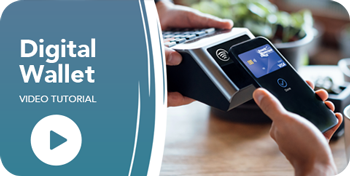
Digital Wallet, also known as tap-to-pay, is Beach Municipal's newest digital banking service. This feature allows members to add their Beach Municipal Debit Card to Apple Pay, Google Pay, Garmin Pay, Amazon One, and Samsung Wallet for fast, secure, and contactless purchases.
Digital Wallet enables members to make purchases using the devices they already carry every day, including smartphones and smartwatches. In addition to convenience, Digital Wallet provides enhanced security through tokenization technology. Tokenization replaces the card number with a secure digital token, helping protect member information by ensuring that the actual debit card number is not shared with merchants during transactions.
Product Details
- Digital Wallet is currently available only for Beach Municipal Debit Cards. Credit Cards will be added at a later date.
- After a member successfully adds their Beach Municipal Debit Card to a Digital Wallet, they will receive a confirmation letter by mail.
- Members should add their Debit Card directly through the wallet application on their device (Apple Wallet, Google Wallet, Samsung Wallet, etc.). Members do not add their card through the Beach Municipal Mobile Banking App.
- Video step-by-step setup instructions are available at the bottom of this page.
- Additional member talking points and campaign information are available below.
Launch Timeline
Digital Wallet became available to members on June 2. We have treated the initial rollout as a soft launch to allow time to identify and resolve any issues before announcing the service to the membership.
Beginning June 17, teaser advertisements featuring the message "It's Coming" will appear on social media and within our Mobile Banking App. Our official member-facing campaign, "Your Wallet Just Got Smarter," launches on June 23. The promotional period will run for 90 days following launch.
We need your help to make this campaign successful by educating members about the benefits of Digital Wallet and showing them how easy it is to set up and use.
Never used a Digital Wallet? Watch the How-To Videos below.
Campaign Overview
This campaign leverages digital, social, and in-branch strategies to educate members about the convenience, speed, and security benefits of using digital wallets with their Beach Municipal debit cards.
Campaign Target
Our primary audience for this promotion includes:
- Existing Members (All Ages): Encouraging members to add their debit cards to their preferred digital wallet.
- Mobile Banking Users: Members already using online and mobile banking services who are likely to adopt digital wallet technology quickly.
- Younger & Mobile-First Members: Members who prefer fast, contactless, and mobile payment experiences.
- Active Cardholders: Members with debit cards who can increase convenience and card usage through digital wallets.
The Offer
Persuade members to simplify checkout and increase payment security by offering:
- Convenience: Fast, easy, contactless payments in stores, online, and in apps using smartphones or smartwatches.
- Security: Tokenization technology helps protect member card information by replacing card numbers with secure digital codes during transactions.
- Easy Setup: Members can add their cards to Apple Pay, Google Pay, or Samsung Wallet in just a few minutes.
- Everyday Access: Members can leave their physical wallet behind and still make purchases securely and conveniently.
Promotion Strategies
The main goals of this promotion are to:
- Educate members on how digital wallets work and the added security benefits of tokenization technology.
- Increase Digital Wallet Adoption by encouraging members to add Beach Municipal cards to Apple Pay, Google Pay, and Samsung Wallet.
- Increase Debit Card Usage through easier everyday purchases and contactless checkout experiences.
- Promote Digital Banking Services by reinforcing Beach Municipal as a modern, secure, and digitally convenient financial institution.
- Increase Mobile Banking Engagement by connecting members to additional digital banking tools and services.
Marketing Channels & Materials
Look for these materials to help you start the conversation:
- In-Branch: Teller signage, posters, and Works24 TV ads promoting digital wallet setup and contactless payments.
- Digital: Virtual Branch login messages, mobile app ads, homepage banners, and landing page FAQs with setup instructions.
- Direct: Email announcements, statement messaging, and receipt messages promoting wallet adoption.
- Social: Frequent posts on Facebook, Instagram, LinkedIn, and X focused on convenience, security, and tap-to-pay benefits.
- Staff Education: Extranet talking points, FAQs, and member setup guidance for frontline staff.
WIIFT? (What’s In It For Them)
How Can Digital Wallets Help Our Members?
|
Feature |
Member Benefit |
|
Contactless Payments |
Faster checkout in stores without swiping or inserting cards |
|
Mobile Wallet Access |
Pay using smartphones or smartwatches that members already carry |
|
Tokenization Security |
Added protection because actual card numbers are not shared during transactions |
|
Online & In-App Payments |
Easier checkout experiences across websites and apps |
|
Easy Setup |
Members can start using digital wallets within minutes |
Staff Talking Points
Conversation Starter
- "Have you added your Beach Municipal debit card to your phone’s digital wallet yet? You can use Apple Pay, Google Pay, or Samsung Wallet to make fast, secure purchases with your phone or smartwatch."
Convenience Talking Point
- "Using a digital wallet makes checkout quick and easy. You can simply tap your phone or smartwatch to pay in stores, online, and in apps without needing to pull out your debit card."
Security Talking Point
- "One of the biggest benefits is added security. Your actual debit card number isn’t shared with merchants during transactions, helping protect your account information."
Setup Assistance
- "If you already use our mobile banking app, adding your debit card to your digital wallet only takes a few minutes. I'd be happy to show you how before you leave today."
Mobile Banking Cross-Sell
- "If you haven’t downloaded our mobile banking app yet, it makes managing your account and adding your debit card to a digital wallet quick and convenient. I can help you get started."
Debit Card Usage Talking Point
- "Digital wallets make it even easier to use your Beach Municipal debit card for everyday purchases such as groceries, gas, coffee, dining, and online shopping."
FAQ: Is it safe?
- "Yes. Digital wallets use secure tokenization technology, which replaces your actual card number with a unique digital token during transactions. This helps keep your payment information secure."
FAQ: Where can I use it?
- "You can use Apple Pay, Google Pay, or Samsung Wallet anywhere you see the contactless payment symbol, as well as in many mobile apps and online stores."
FAQ: How do I add my card?
- "Simply open your phone’s wallet app, select ‘Add Card,’ and follow the prompts. Most members can complete setup in just a few minutes."
How-To Videos
« Return to "Home Blogs"

